If you run a service business, a law firm, an accountancy practice, an IT support company, a renewable energy installer, a logistics provider, a recruitment firm, and you haven't yet seriously used AI in your day-to-day work, you're probably not far behind where most of your competitors are.
But the gap is closing faster than most people realise, and the businesses that figure this out in 2026 will carry a meaningful advantage into the next few years.
The adoption gap is still real, particularly in the UK. Government research published in February 2026 found that around 1 in 6 UK businesses, 16%, are currently using at least one AI technology, while the majority are still neither using AI nor planning to adopt it. That makes 2026 a useful window: AI is no longer experimental, but many competitors still have not embedded it into everyday operations.
The challenge for most service business owners and managers isn't access; both ChatGPT and Claude are available to anyone with an internet connection and a subscription that costs less than a team lunch. The challenge is knowing where to start and which tool to reach for.
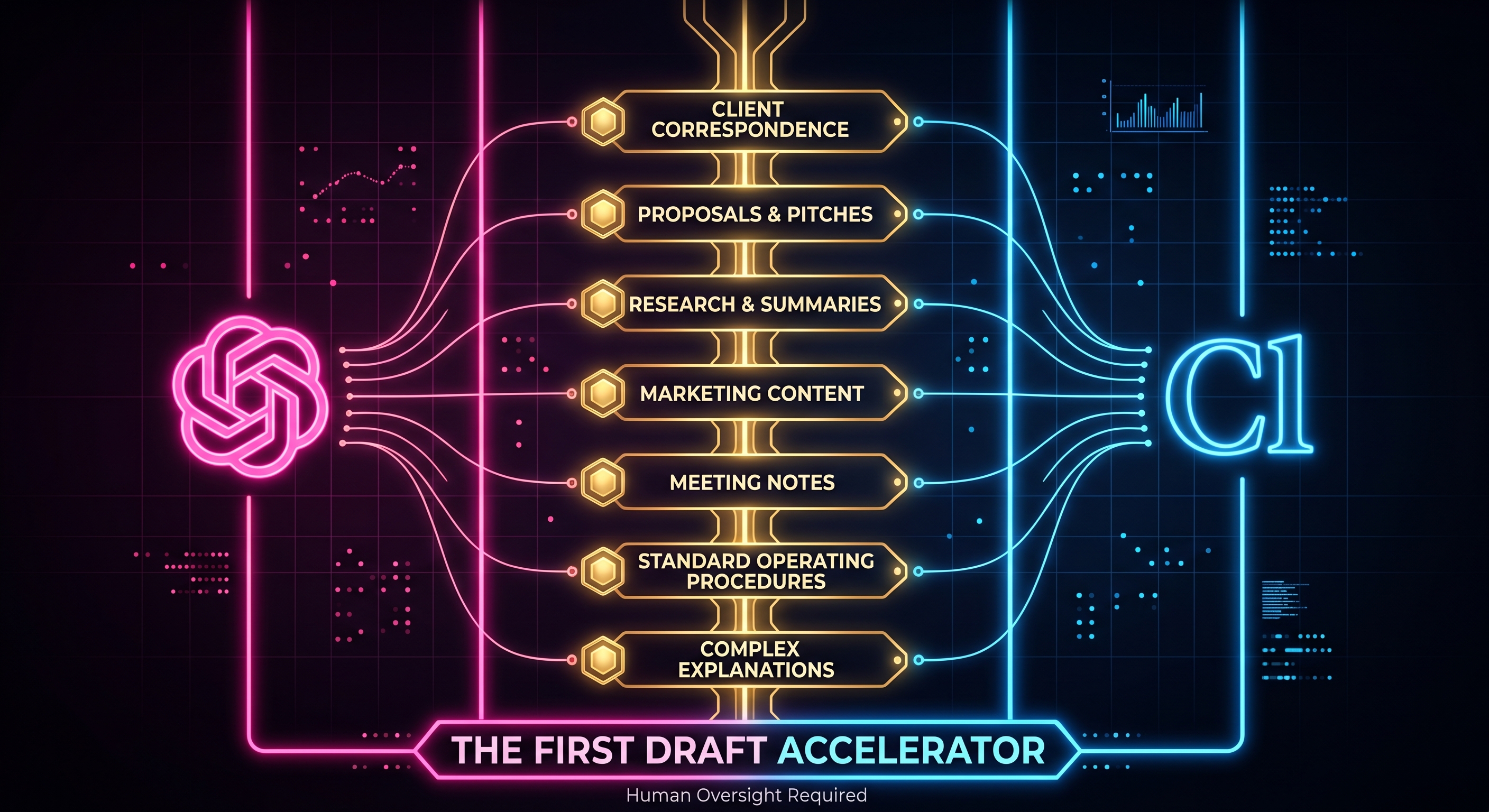
This guide answers both questions. We've compared ChatGPT and Claude across seven areas where service businesses can start using AI right now, not abstract future use cases, but practical, everyday tasks that are currently taking your team's time, energy, and attention. We've given both models an honest hearing. ChatGPT wins three of the seven rounds. Claude wins four.
By the end, you'll know which model is stronger for which task, where to plug AI into your workflow first, and, just as importantly, what to be cautious about as you do.
If you've heard about ChatGPT and Claude but haven't sat down and used them properly yet, here's the practical version.
Both are AI assistants, tools you interact with by typing a question, a request, or a brief, and receiving a response in plain text. You don't need to code. You don't need to install anything. You go to chatgpt.com or claude.ai in a web browser, create a free or paid account, and start typing.
The paid versions of both, ChatGPT Plus (around £20 per month) and Claude Pro (around £18 per month), give you access to the more capable models and remove the usage limits that apply to the free tiers. For business use, the paid versions are worth it. The quality difference between the free and paid models is significant enough that forming your view of either tool on the free version will underestimate what it can actually do.
What you type is called a prompt. The more specific your prompt, the better the output. "Write an email to a client" produces something generic. "Write a professional email to a commercial property client explaining a three-week delay in the completion of their lease review, maintaining a reassuring tone and offering a call to discuss" produces something you can actually use.
Neither tool requires any special knowledge beyond the ability to explain what you want clearly, which, as a professional who communicates with clients every day, you already do.
Now, to the comparison.
Winner: Claude
For most service businesses, professional correspondence is the highest-stakes writing they produce. A letter to a client from a solicitor, an email from an accountant explaining a tax position, a message from an IT support firm following a major incident, these communications carry real weight. They reflect on the firm's professionalism, they create legal and commercial records, and they need to strike the right tone with precision.
This is where Claude clearly outperforms ChatGPT, and it's the most important area to get right.
Claude produces professional correspondence with a careful, measured register that feels appropriate for service business communication. It is more sensitive to tone than ChatGPT; it adjusts naturally between a formal letter to a counterparty in a dispute and a warm, reassuring email to a long-standing client who is anxious about a deadline. It is also more conservative with claims and language in a way that matters for regulated sectors: a Claude-drafted letter from a solicitor tends to be more appropriately hedged, more precisely worded, and less likely to contain a phrase that a professional would need to remove before sending.
ChatGPT produces serviceable correspondence but can tip into either overly casual language or an oddly stiff formality that doesn't sit right. It can also be slightly too direct in situations where professional correspondence benefits from careful framing, delivering difficult news, managing a client's expectations downward, or navigating a sensitive commercial situation.
Where to start for your sector:
ChatGPT score: 3/5 | Claude score: 4.5/5
Winner: Claude
Winning new business in a service business context almost always involves a written proposal, tender response, or pitch document. These are high-stakes pieces of writing that need to demonstrate expertise, build trust, articulate the approach clearly, and close with a compelling case for why this firm should be chosen over the alternatives.
This is demanding writing. It requires a sustained argument that holds together over multiple pages, a consistent tone that is confident without being arrogant, and enough specificity to feel tailored rather than templated. It also needs to be structured in a way that the reader, often a procurement team or a committee, not just one decision-maker can follow without effort.
Claude handles this significantly better than ChatGPT. When given a brief, the client's problem, your proposed approach, the key differentiators of your firm, and the outcomes the client is looking for, Claude produces proposal content that builds an argument coherently from opening to conclusion. The executive summary actually summarises. The approach section explains rather than just lists. The credentials section feels contextually relevant rather than bolted on.
ChatGPT produces proposals that are structurally sound but can feel like they were assembled from a template rather than thought through from scratch. The sections are present; the persuasive logic connecting them is weaker. For competitive tenders where the quality of the writing genuinely influences the outcome, particularly in professional services, government procurement, and any sector where the technical quality of work is assumed and the firm differentiation happens in the writing, Claude gives you a meaningfully better first draft.
Where to start for your sector:
ChatGPT score: 3/5 | Claude score: 4.5/5
Winner: ChatGPT
Service businesses operate in sectors that change constantly. Employment law updates. HMRC regulation changes. New cybersecurity threats and compliance requirements. Grid connection policy changes for renewables. The professional obligation to stay current is real, and the time it takes to read, absorb, and summarise new developments is significant.
This is where ChatGPT's browsing capability gives it a practical edge for many business users. ChatGPT (with browsing enabled, available on the paid plan) can search the web, read current sources, and produce a summary of recent developments on a specific topic. Ask it "what are the main changes in employment law in the UK in the last six months that affect small businesses?" and it will search for current sources and synthesise an answer.
Claude, at the time of writing, handles research from the information it was trained on rather than browsing in real time. This means its knowledge has a cutoff date, and for rapidly changing regulatory, legal, or technical landscapes, it may not reflect the most current position.
The important caveat for any service business using AI for research: verify before you rely on it. ChatGPT's browsing summaries are useful starting points but should be cross-checked against primary sources, particularly for legal, tax, and regulatory matters where accuracy is not optional. Use AI to surface the landscape, then verify the detail yourself or through your professional networks.
Where to start for your sector:
ChatGPT score: 4/5 | Claude score: 3/5
Winner: Claude
Most service businesses have a marketing problem that predates AI: the people best qualified to represent the firm publicly (the solicitors, the accountants, the IT directors, the renewable energy engineers) are also the people least likely to have the time or inclination to write content.
AI changes this equation. The expert who couldn't find three hours to write a blog post can now have a substantive, well-written first draft in twenty minutes. The question is which model produces content that actually sounds like the firm and serves its purposes.
For service businesses, marketing content needs to do a specific job: build credibility, demonstrate expertise, and attract the kind of clients the business wants to work with. It cannot be generic. It cannot be vague. It needs to sound like it was written by someone who actually knows what they're talking about (because for a service business, the content is the first demonstration of the expertise the client is about to pay for).
Claude produces marketing content that holds up to that standard more reliably than ChatGPT. For longer pieces (website service pages, blog posts, thought leadership articles, email newsletters) Claude maintains the expert voice throughout, doesn't drift into AI clichés, and produces writing that sounds like a knowledgeable practitioner rather than a content farm.
ChatGPT is the better choice for short-form social media content (LinkedIn posts, quick updates, short promotional copy) where punchiness matters more than depth. But the content that actually builds authority and earns new client enquiries for a service business is almost always longer and more substantive, which is where Claude has the edge.
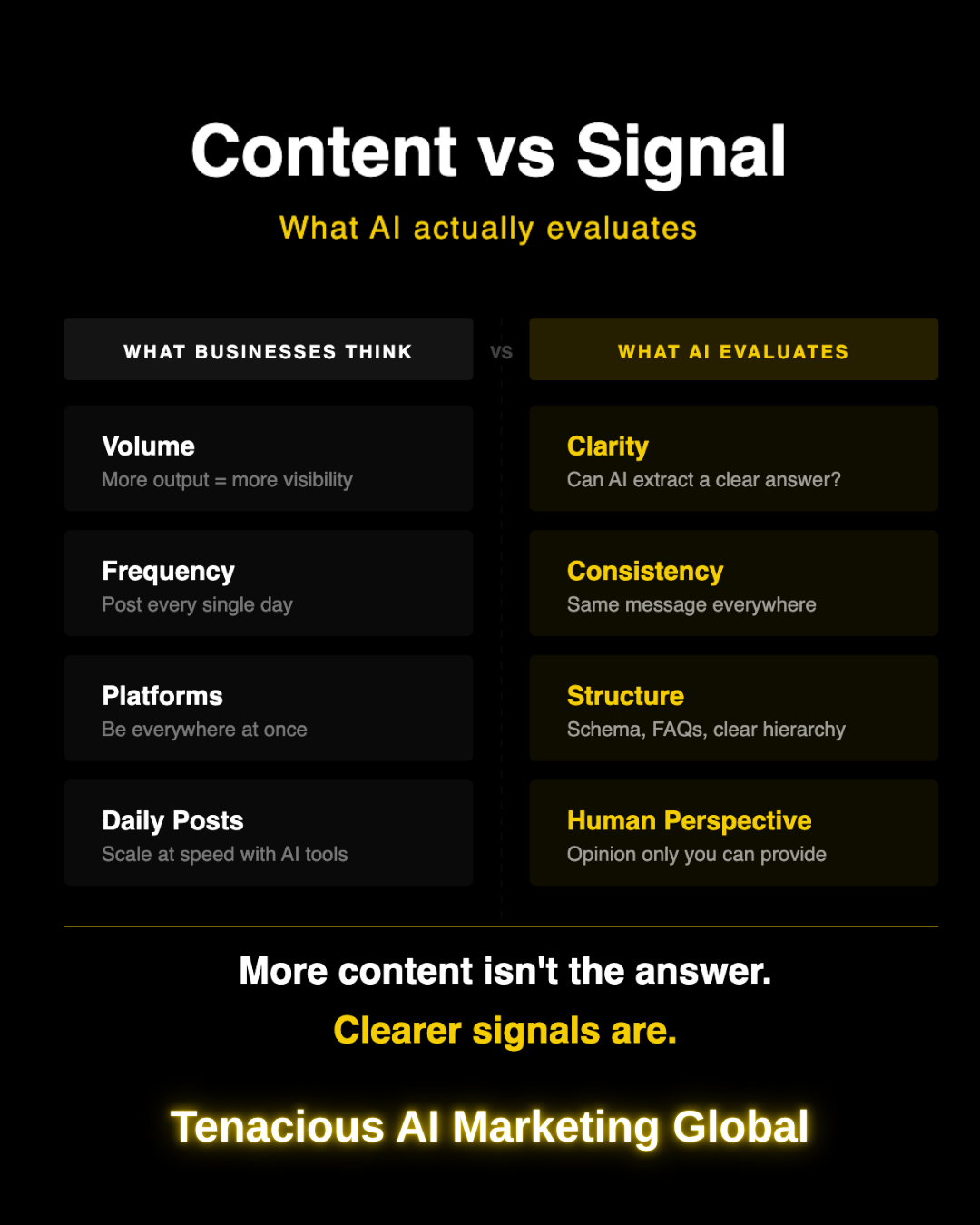
For GEO purposes (making sure your business appears in AI-generated answers when potential clients search) this matters even more. The blog posts and service pages that earn AI citations are the ones that answer specific questions clearly and at depth. Claude produces that kind of content more reliably.
Where to start for your sector:
ChatGPT score: 3/5 | Claude score: 4/5
Winner: ChatGPT
Not all AI use in a service business is client-facing. Some of the highest-value applications are internal (and for internal efficiency tasks, the calculus shifts in ChatGPT's favour).
Meeting notes and call summaries are a good example. After a client call, a team meeting, or a business development conversation, there is almost always a need to capture what was discussed, what was agreed, and what happens next. This is unglamorous but important work, and it eats time across every level of a service business.
The productivity case is already measurable. In a controlled study of professional writing tasks, access to ChatGPT reduced completion time by 40% and increased output quality by 18%, which is why internal drafting, summaries, and briefing notes are such practical early use cases for service businesses.
Both models can take rough notes, a bullet-point summary, or even a transcript, and turn them into a clean, structured record. ChatGPT does this slightly faster and with less tendency to over-elaborate. It produces action-item lists, decision logs, and meeting summaries that are structured and scannable (exactly what an internal record needs to be). It doesn't dress up a practical internal document into something more literary than the purpose requires.
Claude produces good meeting summaries, but can sometimes produce more detail and nuance than an internal note actually needs. For a document whose entire purpose is to capture what was said and what happens next, ChatGPT's more direct approach is often the better fit.
This area also includes internal briefings (a summary of a new regulatory development for the team, a briefing on a new client before a first meeting, a quick synthesis of background information before a pitch). For these tasks, ChatGPT's speed and structured output make it the practical choice.
Where to start for your sector:
ChatGPT score: 4/5 | Claude score: 3.5/5
Winner: ChatGPT
Every service business runs on processes (often processes that exist in the heads of senior people rather than in written form). Client onboarding sequences. File handling procedures. Service delivery checklists. Health and safety protocols. Staff induction documentation. These are the documents that allow a business to maintain quality as it grows, delegate effectively, and survive the departure of key individuals.
Most service businesses know they should have better internal documentation. Almost none of them have the time to create it from scratch.
This is a strong use case for AI, and ChatGPT handles it well. Given a description of a process ("this is how we onboard a new IT support client" or "this is our procedure for handling a client complaint") ChatGPT will produce a structured, numbered SOP that covers the steps clearly, flags decision points, and can be used as a template immediately or lightly edited before use.
It also handles template creation efficiently: standard client intake forms, new client questionnaires, service level agreement frameworks, checklist documents for recurring processes. These are tasks that can take hours when done from scratch and minutes when done with ChatGPT.
Claude produces good internal documentation but can produce it at a length and level of narrative detail that goes beyond what a practical SOP needs. For internal documents where the goal is to be followed rather than to be read, ChatGPT's tendency toward structured, direct output is an advantage.
Where to start for your sector:
ChatGPT score: 4/5 | Claude score: 3.5/5
Winner: Claude
One of the most consistent challenges in any service business is the communication gap between expert and client. The solicitor who understands exactly why a lease clause creates risk but struggles to explain it in a way a non-lawyer will actually absorb. The accountant who knows the tax implication precisely but writes explanations that leave clients more confused than before. The IT director who can diagnose the vulnerability immediately but whose explanation of it lands with the client as incomprehensible.
This gap costs service businesses more than most realise (in client satisfaction, in referrals, in the time spent on follow-up calls explaining the explanation).
Claude is significantly better at this than ChatGPT. When asked to explain a complex topic clearly, without jargon, for a non-specialist audience (while remaining accurate) Claude consistently produces explanations that a client would actually understand and find reassuring. It modulates the level of detail appropriately, uses analogies where they help, and avoids the trap of either oversimplifying to the point of inaccuracy or including so much technical detail that the client is no better informed than before.
This is particularly important for service businesses in regulated sectors. An accountant explaining a tax planning strategy, a solicitor explaining the risk in a contract clause, a cyber security firm explaining what a vulnerability means for a client's operational risk (all of these need to be accurate, clear, and calibrated for someone who is not a specialist). Claude handles all three requirements more reliably than ChatGPT.
This area also covers FAQ pages, client knowledge bases, and client-facing guides (written materials that explain your service, your process, or your clients' obligations in plain language). These documents are increasingly important for GEO purposes (AI tools cite clear, structured explanations heavily) and Claude is the better tool for producing them.
Where to start for your sector:
ChatGPT score: 3/5 | Claude score: 4.5/5
| Area | ChatGPT | Claude | Winner |
|---|---|---|---|
| Client correspondence | 3.0 | 4.5 | Claude |
| Proposals and pitch writing | 3.0 | 4.5 | Claude |
| Research and staying current | 4.0 | 3.0 | ChatGPT |
| Marketing content | 3.0 | 4.0 | Claude |
| Meeting notes and internal briefings | 4.0 | 3.5 | ChatGPT |
| SOPs and internal documentation | 4.0 | 3.5 | ChatGPT |
| Explaining complex things to clients | 3.0 | 4.5 | Claude |
| Total | 24.0 | 27.5 | Claude |
AI tools are useful. They are not infallible. For service businesses operating in regulated environments, there are specific things to watch for.
If you haven't used either tool yet, here is the most practical way to start with the least disruption to your existing workflow.
The mistake most businesses make when starting with AI is trying to do everything at once, getting overwhelmed, and retreating to doing nothing. Start narrow. Get good at two use cases. Expand from there.
The businesses that will look back at 2026 and say they made a smart decision are the ones that started using AI for practical, everyday tasks while their competitors were still waiting to see how it developed.
For service businesses (law firms, accountancies, IT companies, renewable energy businesses, recruitment agencies, and every other professional practice that runs on expertise and communication) the practical entry points are clear, the tools are accessible, and the time savings are real from the first week.
Claude wins four of the seven areas tested, including the three that carry the most weight for a service business's client relationships: professional correspondence, proposals, and client-facing explanations. ChatGPT wins three areas where speed and structure matter more than depth of voice: research, meeting notes, and internal documentation.
Both tools belong in a modern service business's workflow. Neither replaces the professional judgement that is the actual product you're selling. What they replace is the blank page, the time it takes to produce a first draft, and the mental energy that currently goes into producing writing that a well-briefed AI tool can produce in minutes.
The firms that figure that out now will be faster, more consistent, and better resourced to do the work that actually requires human expertise (because the work that doesn't will no longer be taking up so much of their time).
The State of AI Search in May 2026
Beyond the Search Bar: Why AEO Testing Is Now a Business Visibility Metric
Why YouTube Is Now Essential for Business Visibility in the AI Era
What Is GEO in 2026, and How Do You Get Cited in AI Answers?
The New Rules of AI Search in 2026
Search Everywhere Optimisation: AI Visibility in 2026
How to Audit Your Website for AI Visibility in 2026
Do we need to pay for the premium versions to get useful results?
For occasional use and testing, the free versions of both tools are sufficient. For regular business use (where you're relying on the output for client-facing work) the paid versions are worth the cost. The quality difference between free and paid is significant enough that if your view of either tool is based on the free tier, you should try the paid version before forming a final opinion.
What if we're in a sector with strict confidentiality rules can we still use these tools?
Yes, with appropriate caution. Anonymise client information in your prompts (describe the situation without using real names, case numbers, or identifying details). Both Claude and ChatGPT offer enterprise agreements with stronger data privacy protections for firms that need them. Check your professional body's current guidance, as it is evolving in most regulated sectors. Using AI to draft content that a professional then reviews and takes responsibility for is generally unproblematic; using it to generate advice that bypasses professional review is where the risk lies.
How much time does it actually save?
For correspondence and document drafting, the typical time saving is 50 to 70 per cent compared to writing from scratch. A letter that takes forty minutes to write cold takes ten to fifteen minutes with a good AI draft to work from. For internal documentation (SOPs, checklists, meeting notes) the saving is often larger, because these are documents many firms have been putting off writing for years. A Cyber Essentials application description that would take a day of internal effort might take two hours with AI assistance.
What about accuracy can we trust what it produces?
Trust the structure and the draft; verify the detail. AI tools are excellent at producing a coherent, well-written document that gets the approach right. They are less reliable on specific facts, figures, regulation references, and jurisdiction-specific points. Review everything before it goes to a client. Check anything that carries legal, financial, or technical weight against a primary source. AI is a drafting assistant, not a research database or a professional adviser.
Which should we start with ChatGPT or Claude?
For most service businesses, start with Claude for your first experiment (pick a piece of client correspondence you need to write this week and give it a try). Claude's more careful professional register means the output tends to require less editing before it's client-ready, which makes the first experience more immediately useful. Once you've seen what Claude can do for your correspondence and longer documents, add ChatGPT for the research and internal documentation tasks where it has the edge.
Can junior staff use these tools, or should it be senior people only?
Both, at different stages. Junior staff using AI for first drafts with senior review is a highly effective workflow (it accelerates output while keeping professional oversight in place). Senior professionals using AI to accelerate their own drafting is equally effective. What doesn't work well is junior staff using AI without review for anything client-facing, or senior professionals using AI without reading the output carefully before signing off on it. The tool accelerates the work; it doesn't remove the professional responsibility for the result.